Multi-source knowledge ingestion
Collect email, documents, spreadsheets, website pages, and operational knowledge in one customer workspace.
 AI knowledge and automation platform
Portal AI helps customers collect emails, documents, spreadsheets, websites, and operational knowledge into one controlled workspace, then connect that knowledge to customer-facing channels.
Explore the product areas that support one connected operating flow.
Collect email, documents, spreadsheets, website pages, and operational knowledge in one customer workspace.
Collect content from uploaded files and website pages, prepare it for AI retrieval, and keep the original source context available for review.
Connect approved APIs and business tools so the assistant can retrieve live information or perform controlled actions when a conversation requires it.
Connect business mailboxes, process incoming messages, use the knowledge base to prepare relevant responses, and keep processing activity visible to the team.
Connect WhatsApp accounts for automated, knowledge-grounded conversations with session history, escalation controls, and operational logs.
Extend the same governed knowledge to voice assistants, Telegram, and other supported channels without rebuilding the knowledge base for each one.
Define assistant instructions, reusable skills, agent templates, integrations, and tool behavior around the workflows your business needs.
Test responses against your sources, refine assistant behavior, and improve coverage before expanding automation to more customers or channels.
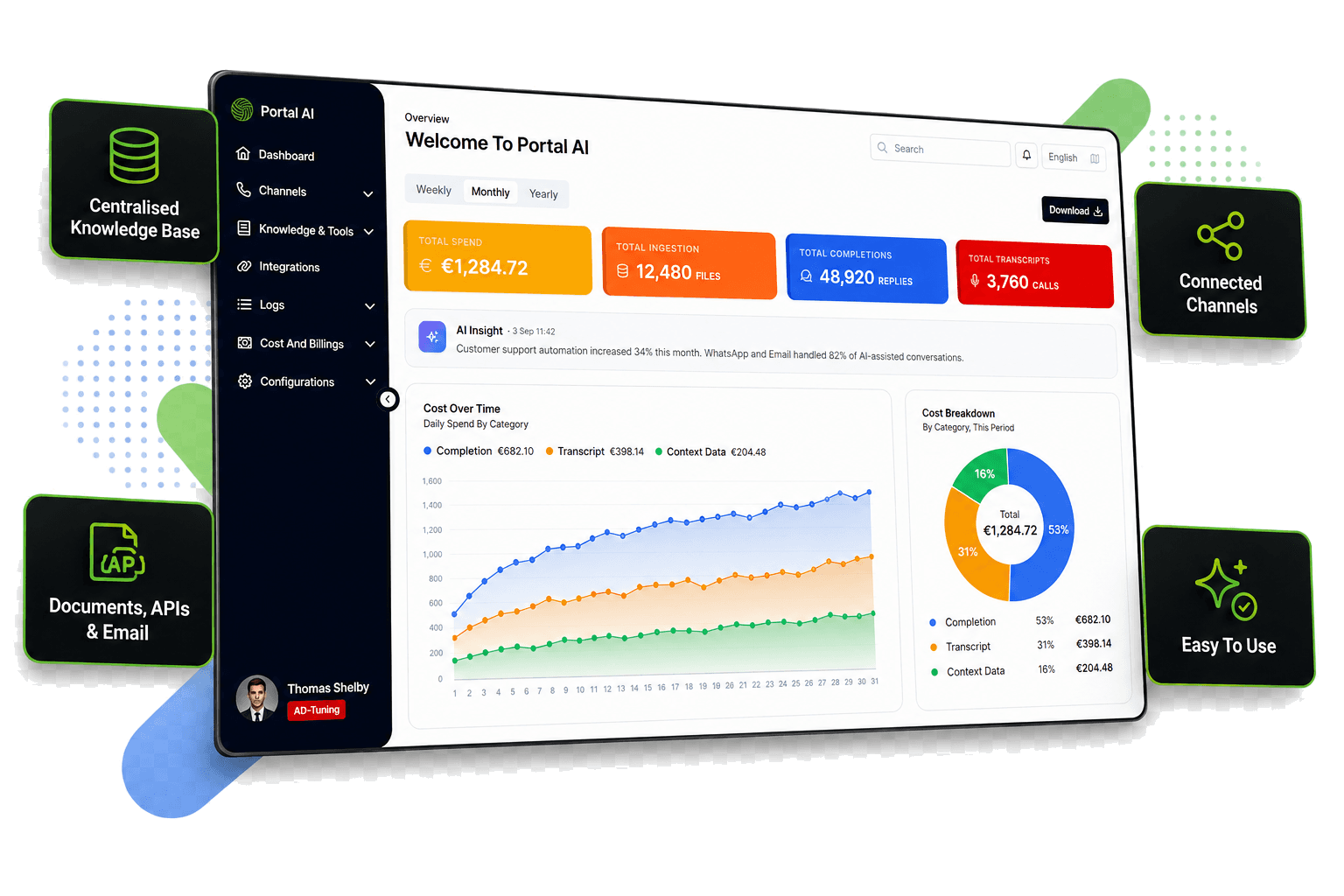
Track ingestion, completions, transcripts, channel activity, AI insights, usage trends, and cost breakdowns from a unified dashboard.
Separate organizations, users, subscriptions, modules, configurations, and knowledge while managing the platform from one controlled environment.
Review completion, transcript, context-data, WhatsApp, and processing logs with notifications and audit visibility for day-to-day control.
Implementation path
Portal AI is introduced around your real knowledge, channels, and operating rules, not a generic chatbot script.
Select the documents, websites, email content, APIs, and operational data that should become trusted AI sources.
Create customer separation, categories, permission rules, and source-review flows.
Activate Email, WhatsApp, voice, Telegram, or other required channels against the same controlled knowledge base.
Use logs, transcripts, AI insights, usage trends, and cost analytics to improve quality and expand automation safely.
Give customers faster, consistent answers across the channels they already use.
Connect AI conversations with approved processes, APIs, and live operational information.
Maintain trusted sources and improve answer coverage without duplicating content per channel.
Control access, integrations, tenant settings, activity, usage, and costs from one platform.
Keep each customer's knowledge and operating context separated inside its own workspace.
Control which users can manage knowledge, channels, integrations, billing, configuration, and reporting.
Use detailed logs, notifications, and audit records to understand how sources and AI interactions are being used.
Start with the channels and workflows that matter now, then add more knowledge sources, integrations, and automation as requirements grow.
Explore product views and implementation results for this service.